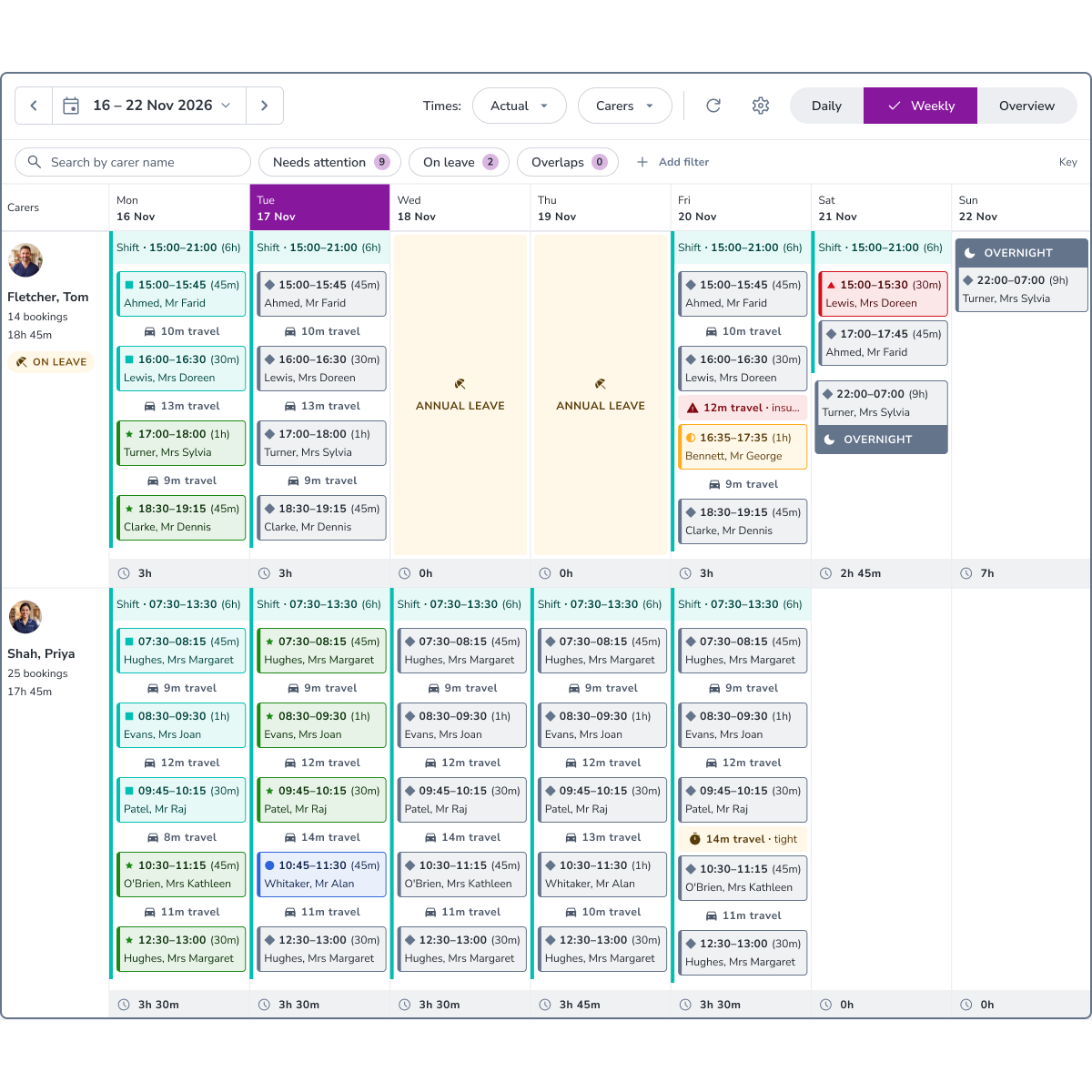

The jobs that matter in rostering are weekly: judging cover, keeping carers within their contracted hours and overtime, and catching gaps before they reach a visit. With CareLineLive’s weekly roster view, you can see a whole week of the rota on one screen, instead of opening each day in turn.
That makes it easier to judge cover across the week, check carers’ weekly hours against their contracts and overtime, and spot gaps, tight travel and leave clashes before they affect visits, so most scheduling work can be done without leaving the screen.
When we asked customers how we could improve rostering, the same answer kept coming back: let us see the whole week. The weekly roster view is our answer.
Who it helps
- Coordinators: plan and adjust the week in one place, without a spreadsheet alongside
- Registered managers: review cover, workload and overtime across the team at a glance
- Owners and directors: built to handle large rosters, so it keeps up as your team grows
Judge cover across the week
Know at a glance whether the week is covered. Every carer’s or client’s week sits in a single grid, with each booking’s status marked by colour and shape, and shifts and rounds shown across every day. Unfilled visits sit in their own row at the top, so nothing gets missed, and filters highlight the bookings that need attention, including double-ups still waiting for a carer. Search or filter by carer and client details to focus on the people you’re planning for.
Keep carers’ hours on track
Keep carers within their contracted hours and overtime as you plan, not after the week is done. Each carer’s daily and weekly hours are shown alongside their bookings, with daily totals across the team when you need them. Overnight and live-in bookings appear across every day they cover, with hours split across those days.
Catch clashes before they affect visits
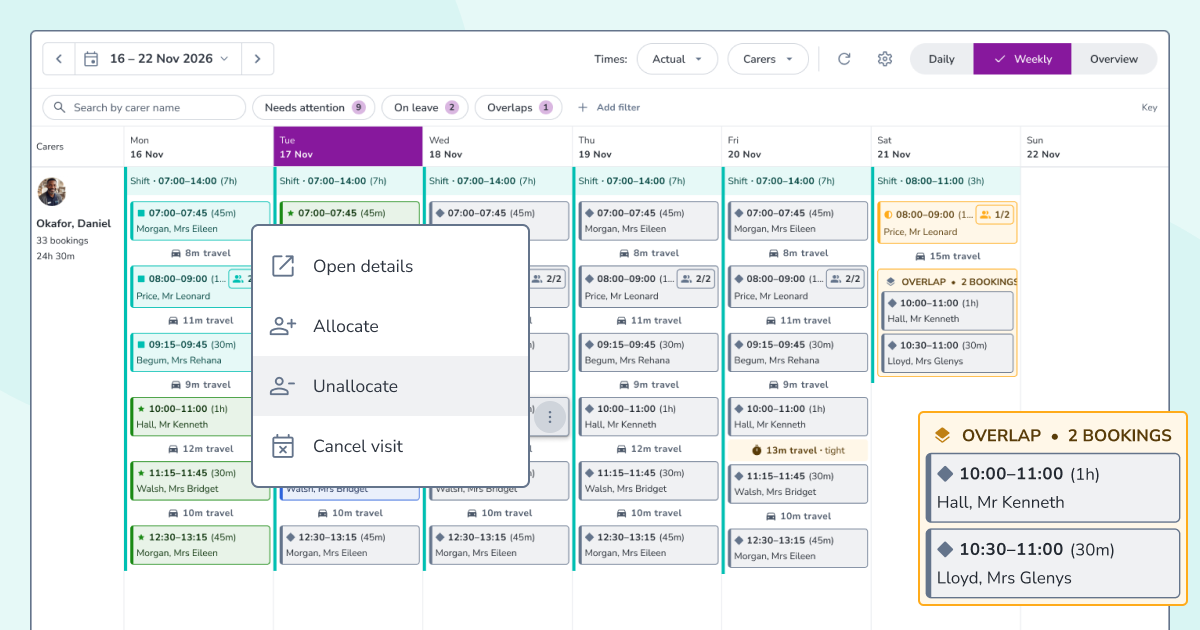
Spot a squeeze without opening each booking. Travel time is shown between visits and flagged when it’s tight. Leave, client suspensions, inactive days and overlapping bookings are all marked on the grid, with filters to bring them into view.
No opening each day in turn, and no building the week in a spreadsheet and re-entering it. When something needs to change, you can allocate, unallocate or cancel a booking straight from the grid.
Key point panel: Planning you currently do in spreadsheets can stay in CareLineLive, where it’s always up to date.
Ready for the busiest weeks
Busy weeks like Christmas are when seeing the whole week matters most. Annual leave requests and approvals are in CareLineLive as well, so you can see who’s off on the grid and plan cover around it. Read more in “Annual leave without the admin”
Why it matters
- Confident cover: know the week is covered before it starts, with unfilled visits in plain sight
- Hours under control: keep carers within their contracts and overtime as you plan
- Fewer surprises: spot gaps, tight travel and leave clashes before they affect visits
- One source of truth: plan in one place, with no more spreadsheets running alongside
- Grows with you: built to handle large rosters as your team grows
See the weekly roster view in action
Find out how CareLineLive helps coordinators plan the week with confidence.
Book a demoExisting customers can find out more from customer support.